So you’ve built a website. You have the files, the design is perfect, and you’re ready to share it with the world. But how do you get it from your computer onto the internet for everyone to see? The answer lies in web hosting.
Think of your website as a brand new store. You have all your products (your images and text) and your store layout (your code), but you need a physical location on a busy street for customers to find and visit you. A web server is that digital location.
Why do you need a web server?
A website is just a collection of files (HTML, CSS, JavaScript, images, etc.). For anyone in the world to see it, those files need to be stored on a special computer that is:
- Always on: It never sleeps or shuts down.
- Always connected: It has a powerful, stable, and fast connection to the internet.
- Ready to serve: Its only job is to listen for requests from people’s browsers and send them your website’s files instantly.
This special computer is called a web server. Your personal laptop can’t do this job because it turns off, its internet connection isn’t stable enough, and its network address can change. That’s why we rent space on a web server from a company that specializes in this. This service is called web hosting.
Shared hosting vs. VPS, what’s the difference?
When you look for hosting, you’ll mainly see two options: Shared Hosting and VPS. Let’s use an analogy to understand them.
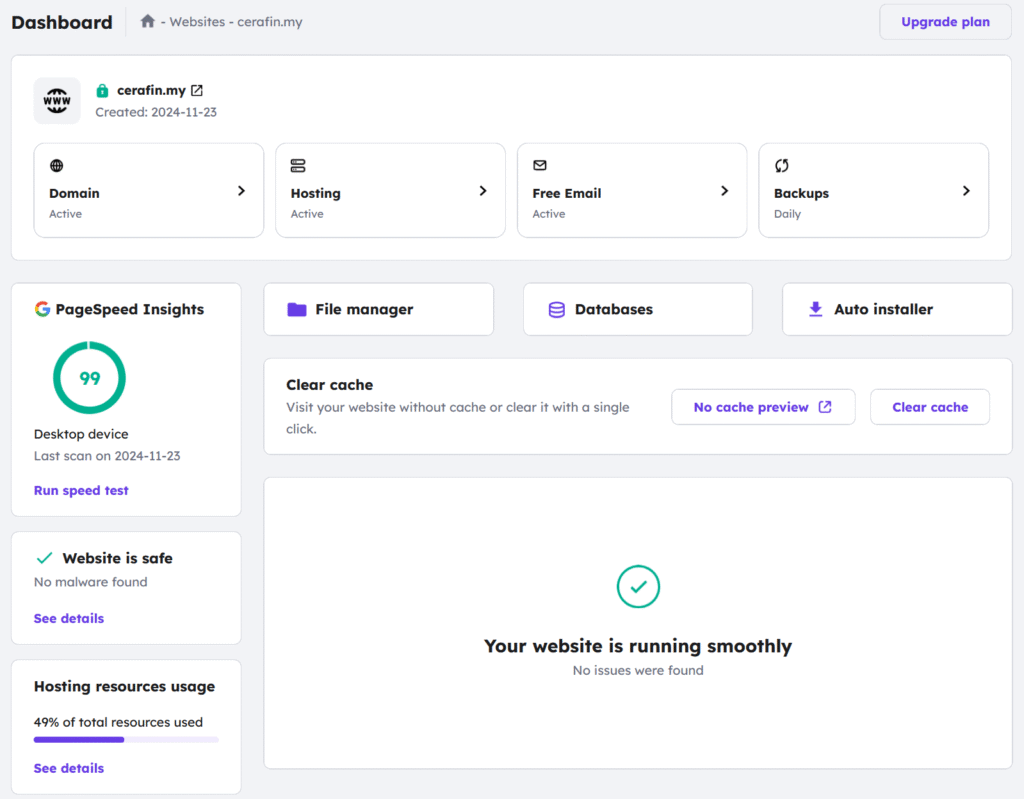
Shared Hosting
Shared hosting is the most common and affordable option. It’s like renting an apartment in a large building.
- You share one big server (the apartment building) with hundreds or thousands of other websites (other tenants).
- Everyone shares the building’s resources—the server’s processing power (CPU), memory (RAM), and internet connection (bandwidth).
- Pros:
- Cheap: It’s the most budget-friendly option.
- Easy: The hosting company manages all the technical stuff, like security and updates (like a building landlord). It’s perfect for beginners.
- Cons:
- The “noisy neighbor” problem: If another website on your server suddenly gets a huge amount of traffic, it can use up the shared resources and slow your website down.
- Less control: You can’t make major changes to the server’s configuration. You have to follow the landlord’s rules.
VPS (Virtual Private Server)
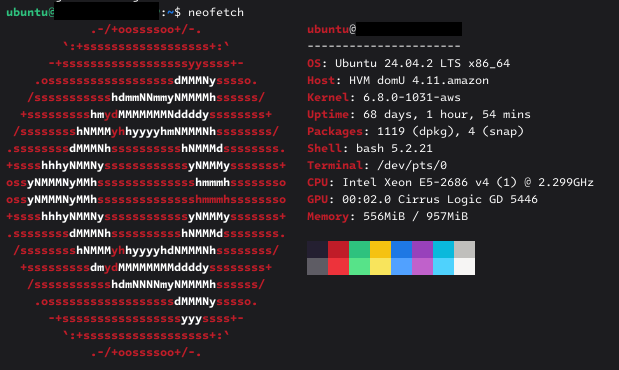
A VPS is a step up in power and control. It’s like owning a townhouse or a condo.
- You still share a physical server with others, but it’s divided into a few large, completely separate virtual servers. Each person gets their own private, walled-off section.
- Your section of the server has its own dedicated amount of CPU, RAM, and bandwidth. Your neighbors’ traffic will never affect your website’s performance.
- Pros:
- More power & speed: Your resources are guaranteed, so your site is generally faster and more reliable.
- Full control: You have “root access”, meaning you are the administrator of your own virtual server. You can install any software and configure it exactly how you want.
- Cons:
- More expensive: You’re paying for guaranteed resources, so the cost is higher.
- Requires technical skill: You are responsible for managing your own server – installing updates, configuring security, and fixing problems. It’s like being your own landlord.
Popular Hosting and VPS Providers
Here are some well-known companies in the hosting space. It’s always a good idea to research recent reviews before choosing one.
Great for shared hosting (beginner-friendly)
- Hostinger: Often praised for its great value and performance for the price.
- Bluehost: Very popular, especially for WordPress sites, and known for being user-friendly.
- SiteGround: Known for excellent customer support and slightly more premium features.
- DreamHost: A long-standing provider with a solid reputation.
Great for VPS (For developers & businesses)
- DigitalOcean: A developer favorite, known for its simple pricing and easy-to-use interface.
- Vultr: A strong competitor to DigitalOcean, offering a wide range of server locations.
- Linode: Another reputable provider focused on powerful and reliable cloud hosting for developers.
- AWS Lightsail: Amazon’s simplified VPS offering, providing an easy entry point into the massive AWS ecosystem.
Should you host your own web server at home?
For most people, the answer is a firm no. While it might sound cool and cost-effective to run a server from an old computer at home, it’s incredibly challenging in practice.
Here’s why using a professional provider is almost always better:
- Reliability: Hosting companies have backup power generators and redundant internet connections to ensure their servers are online 99.9% of the time. Can you guarantee your home power and internet will never go out?
- Internet speed: Home internet plans usually have fast download speeds but very slow upload speeds. A web server needs fast upload speeds to send your website files to visitors.
- Security: Professional providers have teams of experts working around the clock to protect their servers from hackers and attacks. Securing a home server by yourself is a massive, constant, and difficult task.
- Cost: Running a computer 24/7 uses a lot of electricity. Factoring that in, plus the cost of hardware and a potential business-grade internet plan, often makes self-hosting more expensive than a cheap hosting plan.
Self-hosting can be a fun educational project, but it’s not a practical solution for any serious website.
System requirements for a self-hosted server
If you still want to try self-hosting for a small, non-critical project, here are the estimated minimum requirements.
- CPU: A modern dual-core processor is the bare minimum. For anything more than a basic static site, a quad-core processor (like an old Intel i5 or a Raspberry Pi 4) is recommended.
- RAM: 2 GB of RAM is the absolute floor for a lightweight Linux server. A more realistic and comfortable starting point for a site with a database (like WordPress) is 4 GB to 8 GB.
- Storage: A 256 GB solid state drive (SSD) is highly recommended. The speed of an SSD makes a huge difference in how fast your server can respond. You can use a traditional hard drive (HDD), but it will be significantly slower.
- Network: A stable wired Ethernet connection is mandatory. Do not attempt to run a server over Wi-Fi.
- Power: An uninterruptible power supply (UPS) is crucial to keep the server running during brief power flickers and allow for a safe shutdown during longer outages.
- Operating System: A lightweight Linux distribution is the standard choice. Ubuntu Server or Debian are excellent, free, and well-documented options.